The hub
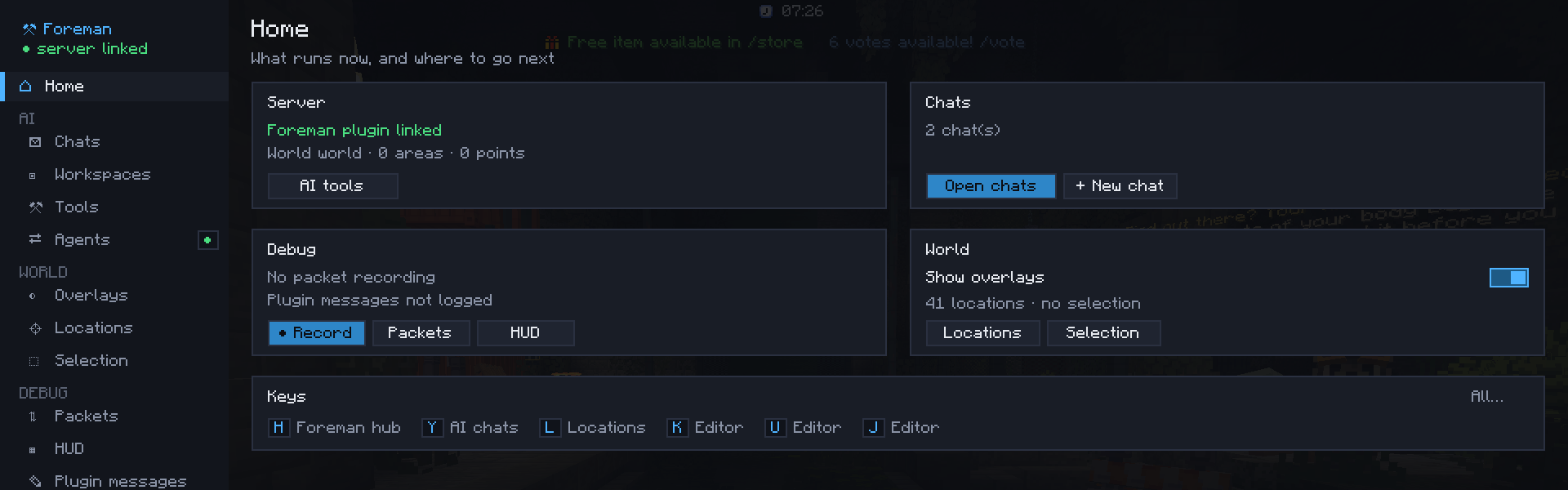
H opens the hub, L opens it on Locations. A rail of sections on the left, grouped by what they're for, with each feature's settings on its own page:
| Group | Sections |
|---|---|
| Home: is the Foreman plugin linked, the running chats, the packet recording, the overlays and your selection, your keys | |
| AI | Chats, Workspaces, Tools (every tool the AI can use, by provider), Agents (the backend chats run on, agents outside the game) |
| World | Overlays (what's drawn in the world), Locations (sources and categories, the location editor and its snap), Selection (your selection tool, the WorldEdit selection and its tool) |
| Debug | Packets (the packet viewer and its settings), HUD (the HUD inspector), Plugin messages (a log of what plugins send on their channels) |
| Keys (by group; click a key, press the new one), Settings (where each setting is, the config folder, links) |
The rail shows badges: the number of chats at work, a red dot while packets are being recorded, and a dot on the sections whose tool or log is on (the selection tool, the location editor, HUD guides, the plugin message log, outside agents).
Overlays
Each layer is off, nearby (around you only) or always (everything in range):
| Layer | What | Needs |
|---|---|---|
| Locations | What plugins send | a plugin using the location API |
| Areas | Named places, space reserved by builds, roads, zones | the Foreman plugin |
| Points | Spots builds recorded (containers, spawns…) | the Foreman plugin |
| Check issues | What the last check found, numbered |
the Foreman plugin |
| Last AI change | The box the AI just changed, fading out | the Foreman plugin |
The section also has the master switch, drawing through blocks, a notice when you enter or leave an area, the areas you're in on the HUD, and the distances (nearby from, labels within).