Packet viewer
Records what the server and your client send each other, and helps find what floods the connection or stutters the client. Nothing runs while it isn't recording.
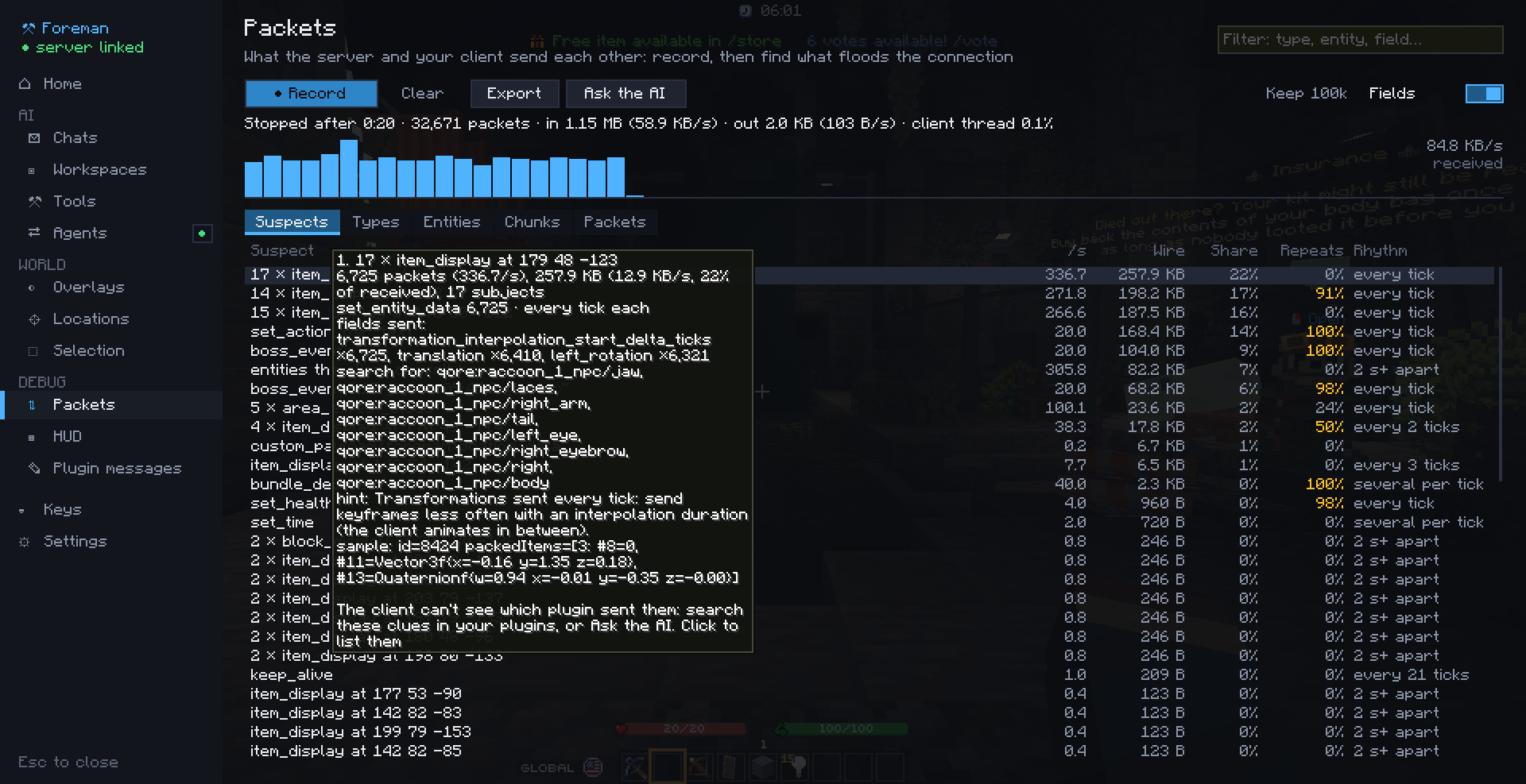
Recording
/packets start [seconds] |
Start (until /packets stop, or for that long) |
/packets stop |
Stop |
/packets |
Open the viewer (the hub's Packets section) |
/packets clear |
Drop the recording |
/packets export |
Write everything to config/foreman/packets/ |
/packets ask |
A new chat looks for what lags in the recording |
A key to start and stop a recording is in the hub's Keys section, unbound by default. While recording, the HUD shows the time and the bytes per second.
What you see
- Each packet: type, direction, size on the wire after compression, what it's about (an entity, a chunk, a plugin channel), its fields, and how long the client took to handle it.
- Suspects: the traffic grouped by what likely sends it (a model's parts, a boss bar, the action bar, a plugin channel…), how often it's resent, how much of it repeats unchanged, which entity fields change, and what to search for in your plugins: item models, custom data keys, translation keys, texts.
- Totals: the types, entities and chunks that get the most, and the bytes per second.
Settings
In the Packets section: whether to keep each packet's fields (not only type and size), and how many packets a recording keeps one by one (20,000 to 500,000; the oldest go first, the totals always cover the whole recording).
With the AI
Ask the AI (/packets ask) starts a chat that reads the recording with the packets_* tools, searches your
workspace folders (plugin sources, server configs, language files) for the clues, and proposes the change. Give the
chat a workspace with your plugins' sources first. Outside agents get the same tools
(reference).