Locations and local sets
Plugins send their locations (NPCs, spawns, regions, waypoints…) to players with the permission, and the mod draws them in the world: each source (a plugin) has categories, each shown or hidden. Staff can teleport to them and move them; the plugin receives the move and saves it. To send locations from your plugin, see the location API.
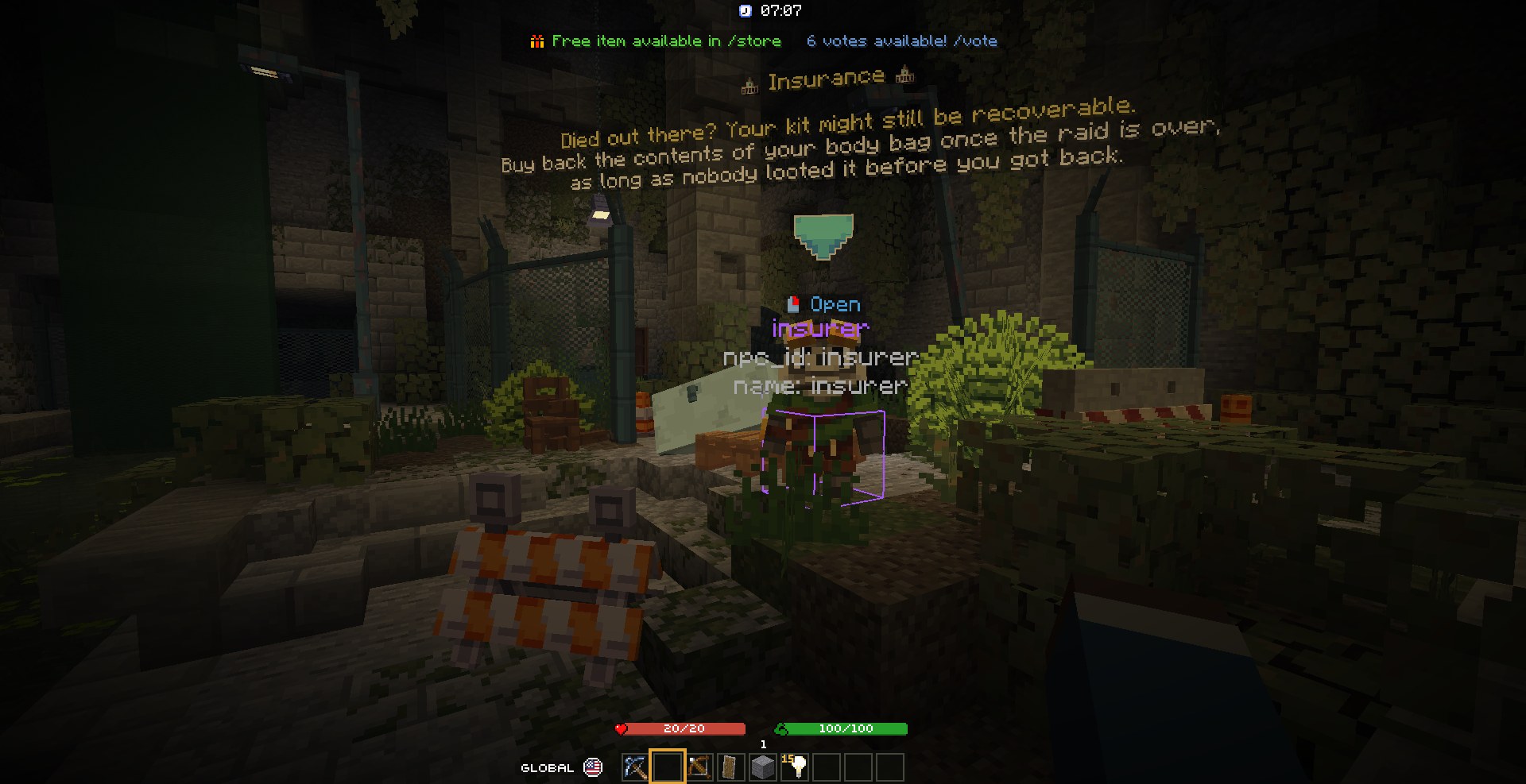
Viewing
The hub's Locations section (L) lists the sources and their categories: show or hide each, show only one source, teleport to the nearest location of a category. The Locations layer of the overlays sets how far they're drawn.
Editing
Turn on the location editor (/locations editor, or its key, unbound by default): left click a location to select
it, drag the gizmo's arrows, right click a block to place it there. Moves snap to a step (the gizmo snap setting in
the Locations section; hold Ctrl to move freely).
| Key | Moves the selected location |
|---|---|
| K | to your feet |
| U | to your eyes |
| J | to your block |
| Command | Does |
|---|---|
/locations list [source] |
Sources, or a source's categories |
/locations toggle <source> [category] |
Show or hide |
/locations add <source> <category> [k=v…] |
Ask the plugin to add one where you stand |
/locations relocate [x y z] |
Move the selection (default: your block) |
/locations rename <name> |
Rename it; rename source <s>, rename category <c> move it to another source or category |
/locations delete |
Delete it (for plugin locations: on this client only, the plugin keeps it) |
/locations gizmo |
Show or hide the arrows |
/locations clear, status |
Forget every received location (they come back with the next update), count them |
Local sets
Your own lists of points, kept on your computer in config/foreman/local-locations/<set>.yaml. The active set is
shown and edited like a source named local:<set>, and every change is saved. They need no plugin and follow you from
server to server. What they're for:
- Playtest notes. Walk a map and drop a point wherever something's wrong (
/local add bugs door won't open,/local add todo needs a light), then fix them one by one with the points drawn in the world, or give the file to a chat: each point has its world, position and label. - Positions for a config, before the plugin exists. Place the spawns, loot spots or waypoints of a feature you're
writing, move them with the gizmo until they're right, then copy them from the YAML (
world;x;y;z;yaw;pitch) into your plugin's config. - Servers you can't add a plugin to. Building on someone else's server, keep your own markers: the build's corners, where the next pieces go.
- Camera points. Exact positions and angles for screenshots, trailers or a cinematic plugin's keyframes.
| Command | Does |
|---|---|
/local create \| delete \| use <name> |
Manage sets, pick the active one |
/local add [category] [label] |
Add your position to the active set |
/local rename <new name> |
Rename the active set |
/local save \| load <name> |
Write or read a set file |
/local list \| saved \| active, /local stop |
List them, hide the active set |